WorldScope · Supply chain visibility

Calm.

It's how you'll feel knowing you have a boatload of information about your shipments, orders, and transportation spend at your fingertips.

WorldScope_Logo_300x80

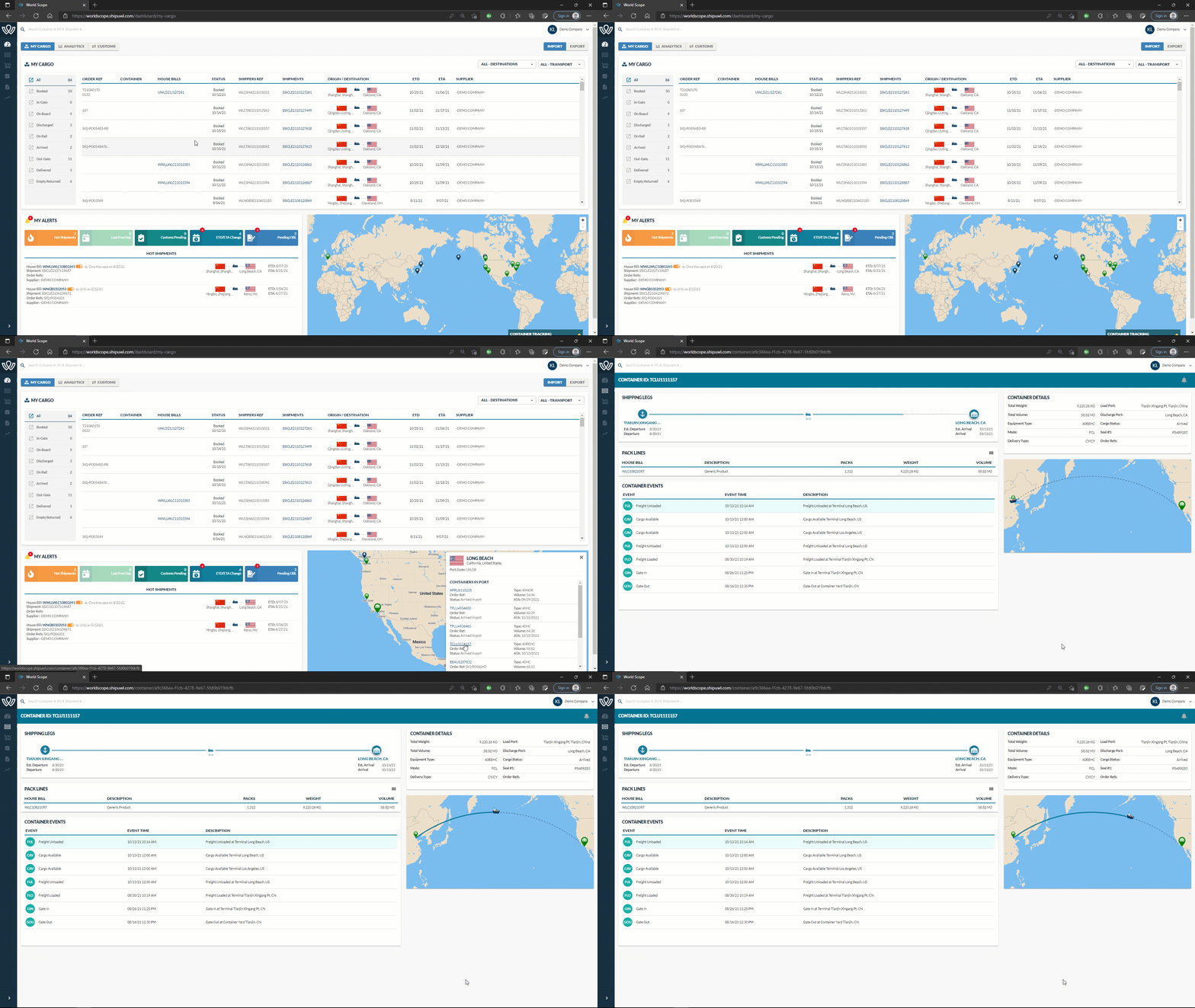
WorldScope My Cargo dashboard with shipments, milestones and a live map
Book a demo

Track, manage and report on every lane in one place

Track shipments, manage documents and invoices, analyze and report on your shipping activity across all lanes, in one place.

WorldScope is a supply chain management platform that aggregates and normalizes data from multiple carriers into one cohesive, easy-to-use system. Book a demo to see how WorldScope can work for you.

Get a Demo

Tell us a little about you and we will set up a walkthrough.

Integrations with all major carriers
RaiLinc Ocean Network Express Marine Traffic American Airlines CMA-CGM Hapag-Lloyd Air China Evergreen MAERSK DHL CAL Cargo Airlines MSC HMM Safmarine Cathay Pacific COSCO Shipping United Cargo Air Canada Qatar Airways South American Airways Polar Air Cargo LATAM Cargo Hamburg Sud British Airways AmeriJet Cargolux US Customs OOCL
Visibility from origin through delivery

View booked, in-gated, in air and on water activity on one dashboard

Regardless of country of origin, volume of vendors or booking frequency, WorldScope presents information simply and in real time, allowing shippers to make critical decisions and avert potential risks.

Tag hot shipments

Customize thresholds and alerts that make sense for your business. Manage by the exceptions you define.

Vessel tracking

View real-time vessel positions with on-board GPS tracking and a visual representation on the main dashboard.

Customs dashboard

Manage Customs entries more effectively with all shipping documents in one place. Easily view, download and share.

Configure by user

The dashboard is configurable by user and filters are stored for future visits. Your in-house admin sets user profiles.

Key features

Find, filter and flag every shipment

Imports and exports in the same system, with the containers, POs and shipments that need attention up front.

Easily search
For specific containers, POs or shipments.
Filter shipments
By destination and/or mode.
Track imports and exports
In the same system.
Mark shipments HOT
For an at-a-glance view as soon as you sign on.
See the Last Free Day (LFD)
Act before it passes to avoid demurrage and detention fees.
Get alerts for exceptions
And when delivery dates change, so you can spot delays right away.
Live shipment board
ReferenceOrigin DestinationStatus
BL-2026-0042 Shanghai Seattle In transit
BL-2026-0039 Ho Chi Minh Long Beach At port
AWB-557-2210 PVG ORD Delivered
BL-2026-0051 Itajaí Houston Booking
BL-2026-0058 Rotterdam Cleveland Customs cleared

Illustrative content · WorldScope

Export bookings

Export Bookings Tool

Click, book, ship. Save time with online export booking.

Shippers and their suppliers can quickly and easily make bookings through WorldScope's Export Bookings Tool. No more waiting around for emails or calling to place a booking: the power is in your hands.

  • Create, view and manage bookings on demand, from any device
  • Book in seconds: WorldScope pre-populates information from your supply chain partners
  • Collaborate with partners through booking remarks, so everyone is on the same page
  • Save bookings as drafts and templates for quick, repeatable processes
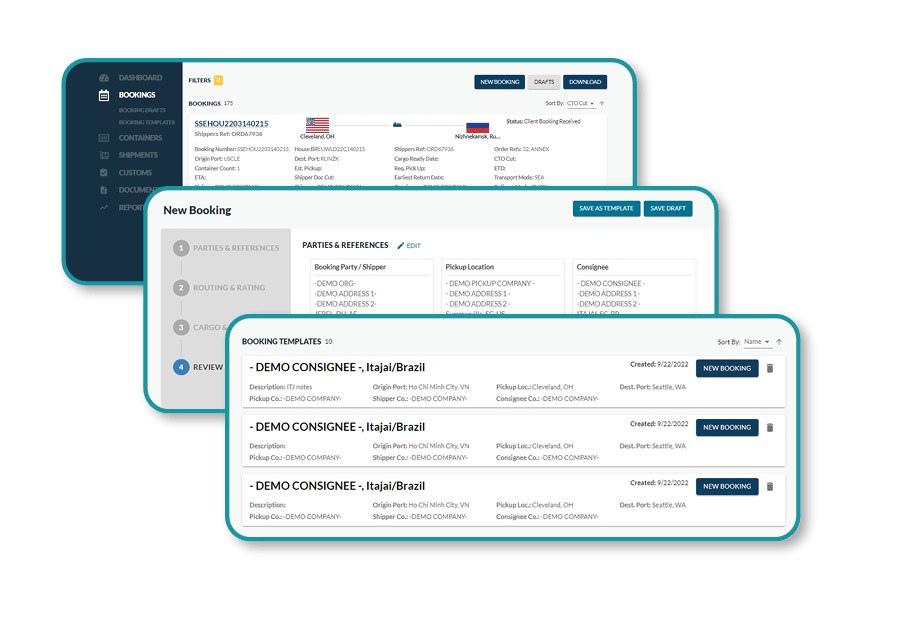
WorldScope Export Bookings screens: booking list, new booking form and templates
Analytics dashboard

A new look at supply chain performance

Real-time insights and custom reports for critical decisions.

Flexible filters allow for macro or micro analysis, making it easy to understand how your business is performing, identify potential risks and see how your logistics dollars are being spent.

  • Inbound container forecast
    Predict seasonal changes in volume and give your supply chain partners more accurate forecasts.
  • Transit time analysis
    Visualize estimated transit times by lane to predict arrivals and spot holdups.
  • Equipment utilization
    See equipment use by container size or mode, filtered by origin, destination or departure date.
  • Freight spend analysis
    Average cost per container and charges by lane show where you spend the most.
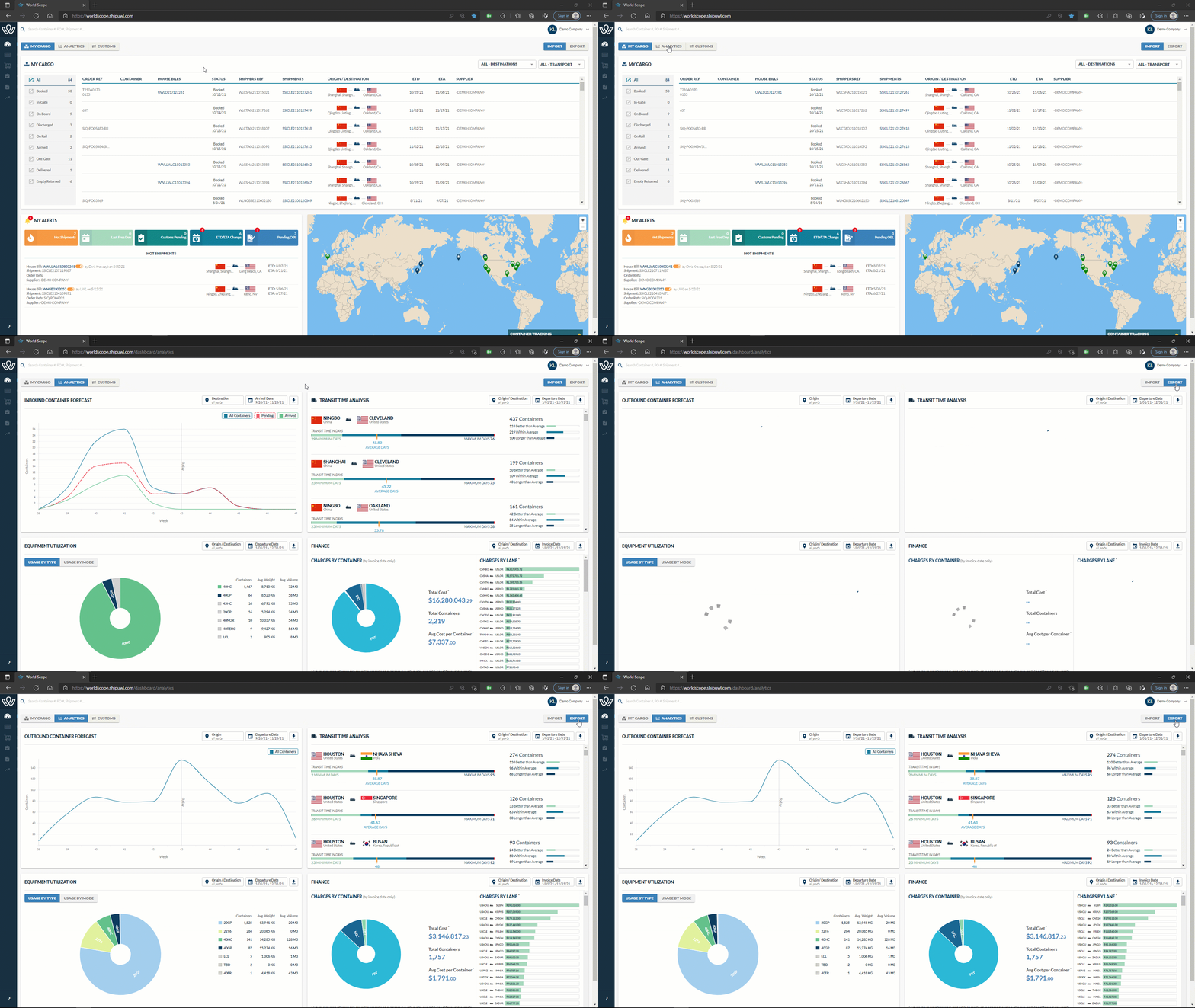
WorldScope Analytics dashboard with forecast, transit time and spend charts
Customs dashboard

All Customs updates in one place

Manage Customs entries and documents in a centralized dashboard.

View active entries, track ISF filing status, see which shipments are missing documentation and track whether shipments have cleared Customs.
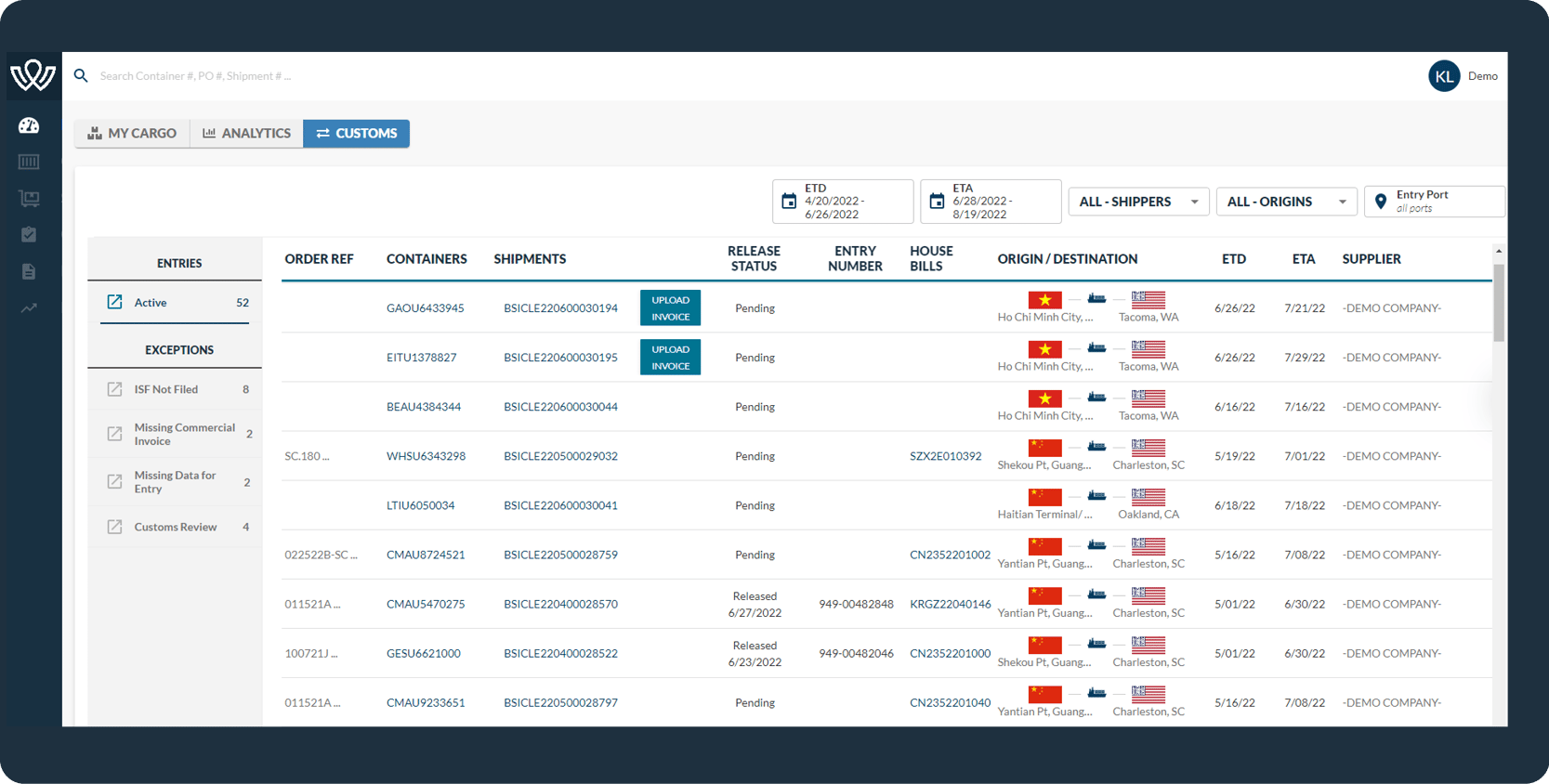
WorldScope Customs dashboard listing entries, release status and missing documents
WorldScope FAQ

Frequently asked questions

Can we see the detail behind the Finance Analytics widget to automate landed costing and financial analytics?

Yes. You can run a report and have it sent to you automatically once a month, with shipment cost component detail from the Report module.

Can we easily access our shipment documents, including invoices?

Yes. Download them from the House Bill page when looking at a single shipment, or batch download them from the Document module.

Where can I see issues that need to be addressed to clear my shipment quickly?

In the Customs dashboard, which is set up to categorize issues such as missing documents or information. You can upload missing documents directly from the dashboard, or open the last email asking for more information and respond from there.

Can I see where my containers are today, even on the rail?

Yes. You can drill into any container and see the events and information received from the carriers and the rail providers.

Can WorldScope send reports to my customers directly, without giving them access to the system?

Yes. WorldScope can create reports filtered by consignee and email them to anyone outside the system.

Can we control what people see when they log into WorldScope?

Yes. You can restrict access to financial information and reporting, hide all documents, or let users see only specific documents, such as packing lists for your warehouse team.

Designed with you in mind

Built by logisticians, for logisticians

To help you grow and scale.

We understand how important it is to have transparent and consistent information about your supply chain, so we have invested heavily in this technology and in the dedicated team that makes it possible.

WorldScope is different from other tracking and visibility tools: we are not a third-party technology company, we are logisticians with years of experience moving freight, from the carrier side to the buyers, planners and end customers.

We built WorldScope with customization in mind, so each team in the supply chain sees what matters to them, all on one platform.
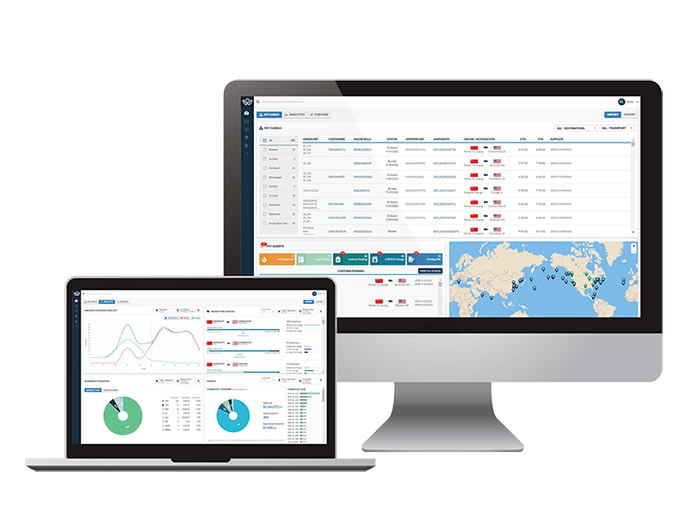
WorldScope on a desktop monitor and a laptop
Try WorldScope today

See your supply chain clearly

Learn how you can achieve more with greater visibility. Contact our team to book a demo.

Privacy Policy Website Terms & Conditions NRA & NSA Terms & Conditions Bill of Lading Terms & Conditions Delivery Order Terms & Conditions

UMR Transparency Disclosure: through UnitedHealthcare, UMR and HealthSCOPE Benefits creates and publishes the Machine-Readable Files on behalf of World Shipping, Inc. To access the Machine-Readable Files, visit transparency-in-coverage.uhc.com

Request a Quote